In 2002, Alain Chabat's Astérix & Obélix: Mission Cléopâtre was a hit in France, packed with wordplay and French pop-culture references. Most of those jokes don't survive translation. Yet in Poland, the dubbed version became a cult classic. Its adapter, Bartosz Wierzbięta, didn't translate the jokes: he replaced them with references Polish audiences would recognise (Institut français de Pologne).
That's the difference between translation and localisation. Translation carries the words across. Localisation carries the meaning to a specific audience. AI makes the first almost free. It doesn't do the second for you.
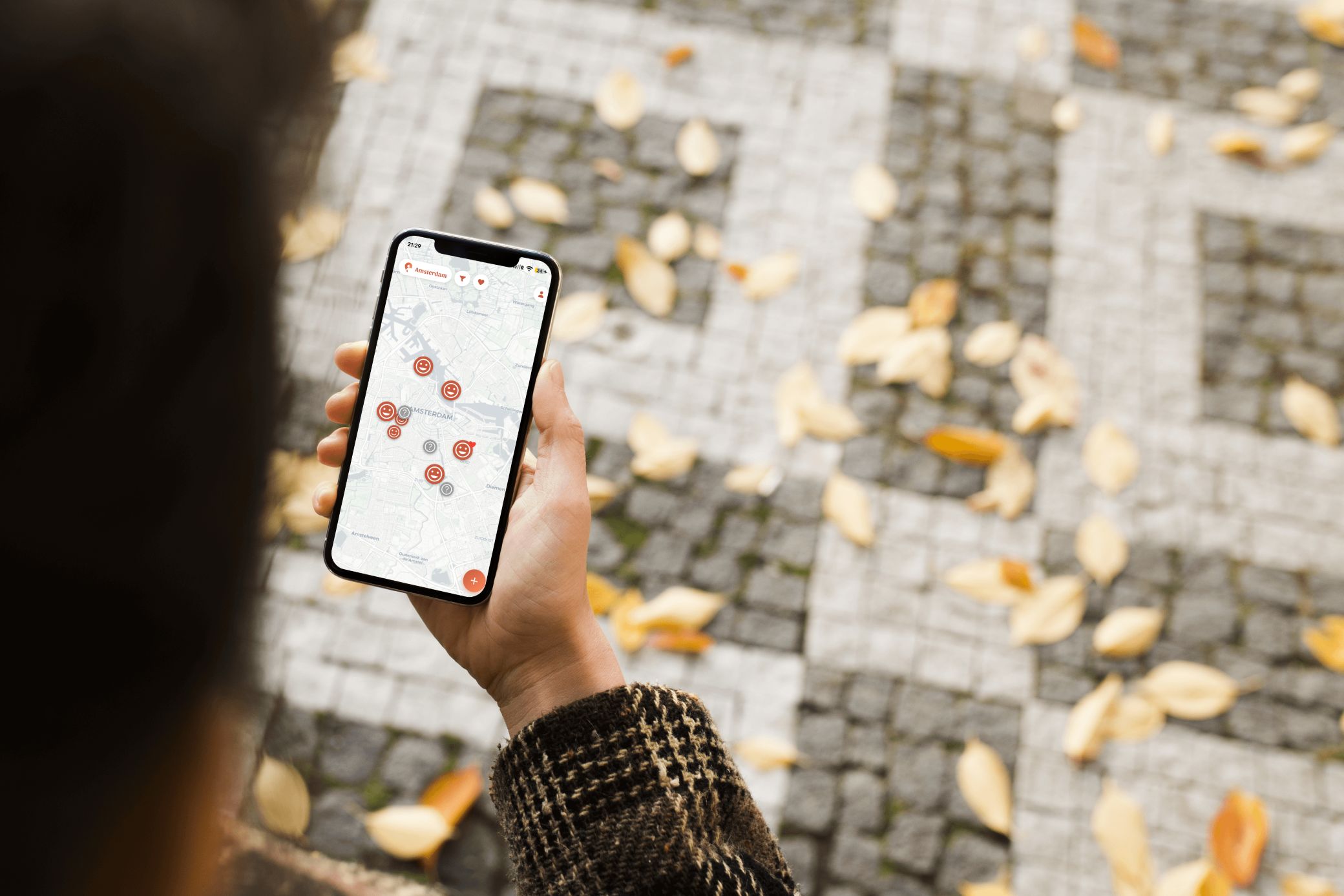
I learned this the practical way while building TribuMap, an app that helps parents find kid-friendly cafés and restaurants in France, Belgium, the Netherlands and the UK. The app speaks English, French and Dutch. Translating the interface was the easy part. Making the search work in each country was not.
It started with two words: café poussette.
Lesson 1: Translate the need, not the word
In France, a café poussette (literally "stroller café") is not a café with room for a stroller. It's a concept: a café designed for parents of young children, usually with a play area and changing facilities. When I first used AI to build the search vocabulary, it read the term as two keywords combined: café + stroller access. It understood the words and missed the concept.
Dutch has no equivalent. Dutch parents look for a speelhoek (play corner), or simply go to a pannenkoekenhuis: pancake restaurants that are the classic family outing, often with a playground outside. No translation of "café poussette" gets you there. Only knowing how Dutch families go out does.
English isn't one language either. A British parent pushes a pushchair and looks for baby changing. An American pushes a stroller and looks for a changing table. And the UK has its own café poussette: soft play, a venue type so rooted in British family life that a search built on the American "indoor playground" misses much of it.
Lesson 2: Vocabulary reveals culture
Why does French have a word for a family café while Dutch doesn't? Because in the Netherlands, most cafés are kid-friendly by default. Taking a toddler for coffee is unremarkable, so nobody needs a special category. In France it's less obvious, so family cafés became their own concept, with their own name.
This changes the product problem, not just the keywords. In France, the challenge is finding places that welcome children at all. In the Netherlands, many places do, so the challenge becomes balance: good food and coffee for the parents, and the right equipment for babies and toddlers. Same app, same filters, a different question to answer in each market.
Lesson 3: English keywords only find the international bubble
My first mistake was searching in English everywhere. "Kid friendly" worked in Paris and Amsterdam, but only in central, touristic areas, where expats and visitors leave reviews in English. The keyword wasn't detecting family-friendliness. It was detecting the international crowd.
Switching to local terms changed everything. I found many more places, including in residential districts that were completely invisible to the English search, and a few even in small towns. Those are the neighbourhoods where local parents actually live and go out.
So if you want to reach beyond big cities, or beyond their centres, test there too. For TribuMap this mattered most for the tourist use case: travelling with my toddler, I needed results wherever we stayed, not just near the landmarks. Not every app has that need. But if yours does, test where your users will be, not where you happen to live.
Lesson 4: Your users' language isn't your data's language
TribuMap serves three kinds of parents: locals, expats and tourists. A Dutch parent in Amsterdam, a British expat in Paris, a French family on holiday in Utrecht. Each wants the app in their own language, but the places they look for are described in the local one. So we split the two:
- The interface follows the user. Menus, filters and labels appear in English, French or Dutch, as the user chooses.
- Detection follows the place. Amenities are detected in Google reviews in their original language, the one locals wrote them in.
- Display follows the user again. Reviews are shown in the user's language.
A Dutch speaker browsing Paris reads reviews in Dutch, but the pins behind them were scored on the original French comments. This matters because translation erases the signal: run detection on translated text and "speelhoek" has already become a generic "play area" before your keywords ever see it.
Belgium: when the country isn't the unit
Belgium is the stress test. Flanders speaks Dutch, Wallonia French, Brussels is officially bilingual and full of English-speaking expats, and a small community in the east speaks German. "Search in the country's language" breaks when the country has three.
The rule: anchor the search language to the region, not the country. Belgium is the one country where TribuMap goes below country level. We detect the region from the map's position, then search Flanders in Dutch and Wallonia in French. In Ghent, a French-speaking parent still searches with kindvriendelijk restaurant and eten met speelhoek. In Liège, a Dutch-speaking parent searches in French.
Even then, choices remain. Brussels is officially bilingual, but we search it in French, the majority language there, an assumption we plan to revisit. And when you pan across the language border, the search language switches with the map.
Lesson 5: The regex will humble you
Detecting amenities in reviews means matching keywords, and an English-shaped pattern (the word, plus an optional "s") doesn't travel. Plurals mostly add -s in English and French. Not in Dutch: glijbaan (slide) becomes glijbanen, changing a vowel instead of adding an ending.
Dutch also glues words together, so speelhoek (play corner) hides inside longer words. French has its own traps: "chaise haute" becomes "chaises hautes", but "table à langer" becomes "tables à langer". And reviewers write "cafe" as often as "café".
The danger is silent failure. Missed matches don't throw errors: they look exactly like places without amenities. Build and test your patterns on real reviews, with native speakers.
False positives are worse
Missed matches hide good places. Wrong matches put a kid-friendly badge on places that aren't. All of these came up in real tests:
- Keywords inside other words. "Toy" hides in the French nettoyer (to clean): before the fix, reviews praising a clean restaurant gave it a playground. "Parent" hides in parenthèse, "slide" in sliders (mini burgers), "familie" in the Dutch familiebedrijf (family business).
- Negations. "No changing table", pas de table à langer, geen kinderstoel: each contains the keyword, and each says the opposite. And one parent's complaint shouldn't erase another's praise in the next review.
- Slang. In British English, potty also means crazy ("gone potty").
- False friends. Dutch kind (child) matches "very kind staff", and English tot (toddler) matches the Dutch "open tot 22u" (open until 10pm).
Lesson 6: When data is sparse, infer carefully
Small towns have few reviews, so even the right vocabulary leaves many amenities unconfirmed. But amenities aren't independent, and some combinations predict others:
- Play area + changing table → probably a high chair. A place that invested in the first two almost always has the cheapest of the three. The reverse doesn't hold: a high chair says nothing about a play area.
- Wheelchair accessible → probably stroller accessible. Step-free entrance, wide doors, space between tables. And wheelchair access is often documented where stroller access isn't.
Two rules keep this honest. Infer only in the direction the evidence supports. And never display an inferred amenity as confirmed: use it to raise a place's confidence and rank promising places higher, then let parents confirm.
Where AI fits
This isn't an argument against AI. I used it throughout, and it's excellent at generating candidate terms, drafting patterns and translating interfaces. The errors came from trusting it 100% without checking:
- It read a concept ("café poussette") as a combination of keywords.
- It missed dedicated terms nobody asked about ("soft play", "pannenkoekenhuis").
- It answered the question I asked ("translate kid friendly") instead of the one I needed ("how do parents here look for this?").
Use AI for the candidates. Use locals and real data to validate them.
A localisation checklist for product teams
- For each market, list how people actually search for your core need, not how your keywords translate.
- Look for culture-specific concepts with no equivalent elsewhere (café poussette, soft play, pannenkoekenhuis).
- Treat UK and US English as separate markets.
- Separate the interface language (follows the user) from the content language (follows the place).
- Run detection on original-language content, never on machine translations.
- In multilingual countries, anchor language to the region, not the country.
- Test your patterns against plurals, diminutives, compounds and accents, and hunt for false positives, on real data.
- If you want to reach beyond big cities, test outside them too.
- Fill sparse data with amenity correlations, and label inferred data as "likely".
- Have a native speaker review every market before launch.
If you're a parent in France, Belgium, the Netherlands or the UK, try TribuMap. If you're building something similar, the project page tells the rest of the story. And if you have your own localisation horror story, I'd love to hear it.